Professional Project
DocSpera Workflow Automation
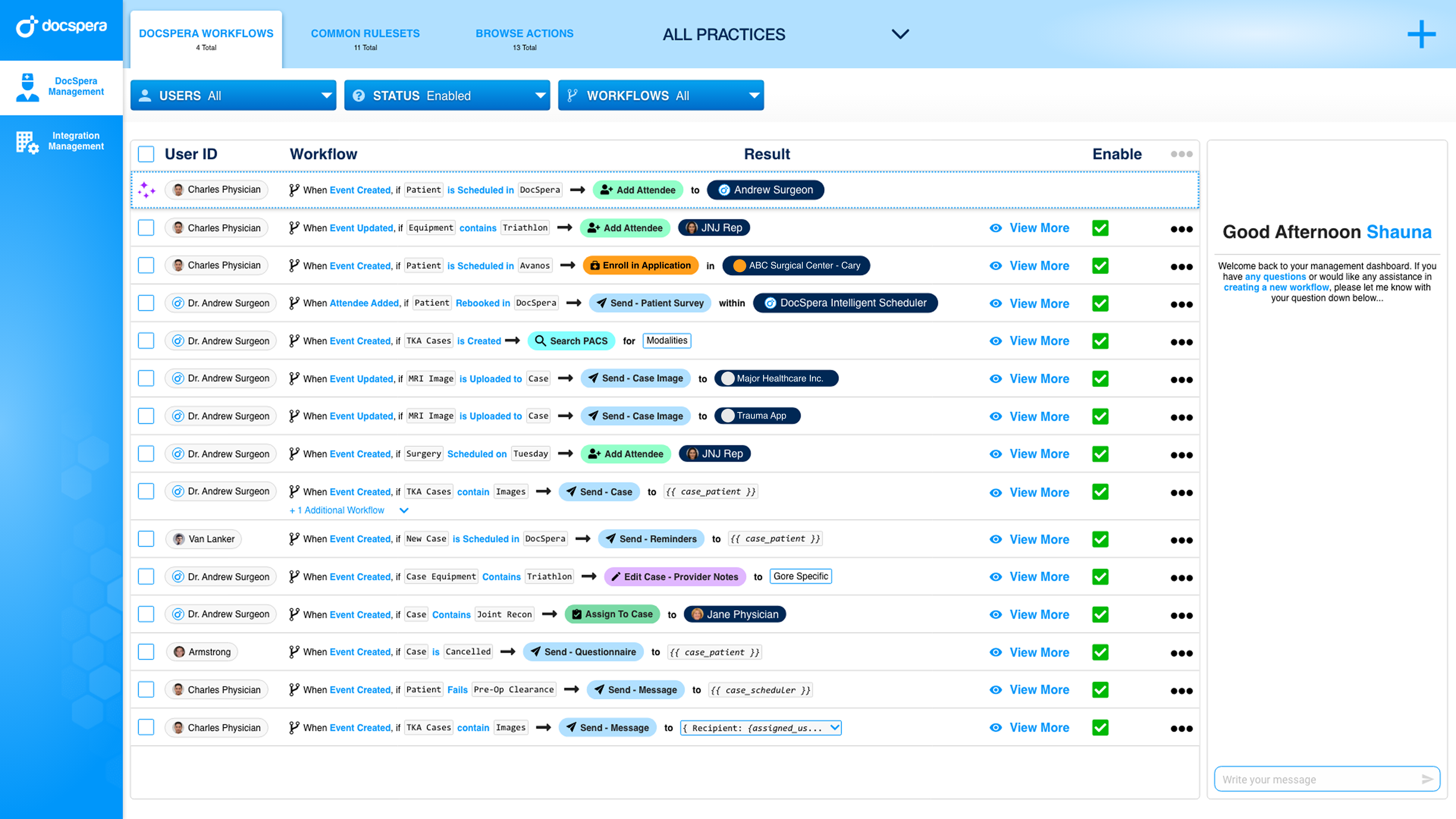
Agentic workflow builder that lets DocSpera staff and partners wire up triggers, conditions, and actions across the portal, with some examples include sending messages, tagging cases, and adding careteam members without writing code.
Problem Statement
DocSpera needed to give non-engineering staff a way to automate repetitive coordination tasks that used to require an entire sprint for implementation. The challenge was making something powerful enough to compose real workflows, but readable enough that a coordinator could open it cold and understand what was already wired up.
Process
Treated each workflow as a sentence
The core unit reads left-to-right: a trigger, a condition, an action. Designing it as a sentence made the list view scannable and kept the mental model close to how people describe the rule out loud.
Designed for browse, then edit
The home view leads with browsing existing workflows with an optional 'recommended' workflow to improve for users. Editing and creation are downstream of recognizing what's already running, so the home screen optimizes for status and ownership at a glance.
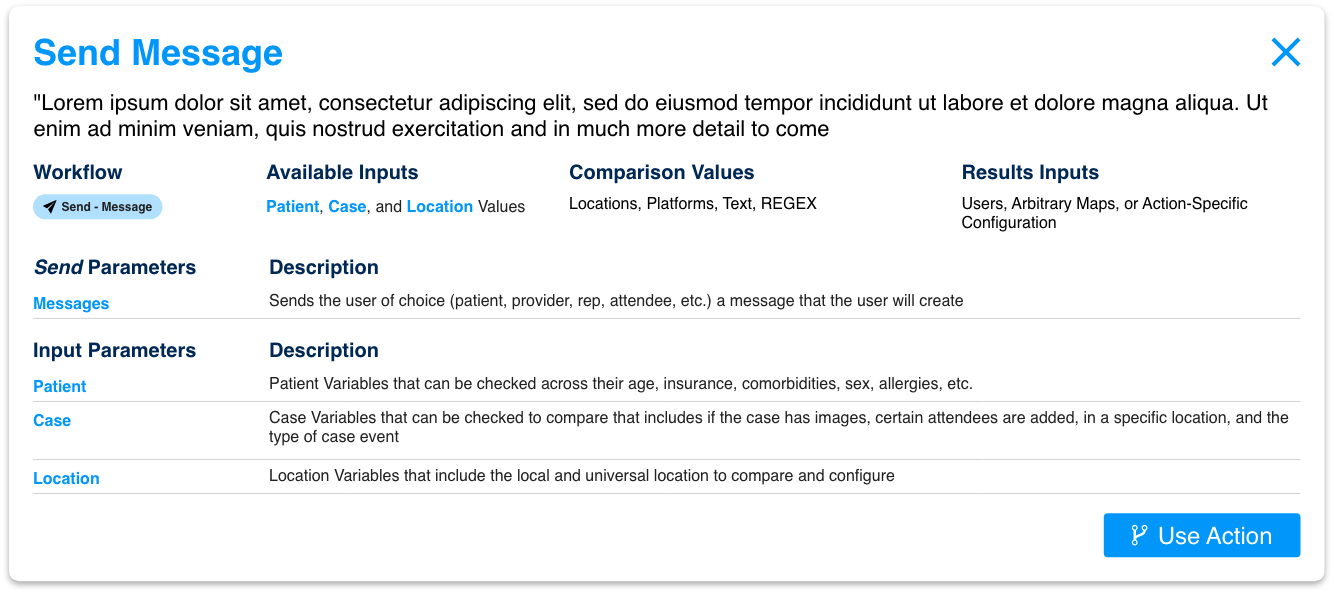
Built dedicated action surfaces
Each action type, like sending a message, tag case, or send to a manufacturer integration, got its own focused configuration surface so the workflow row stays clean while the action stays expressive.
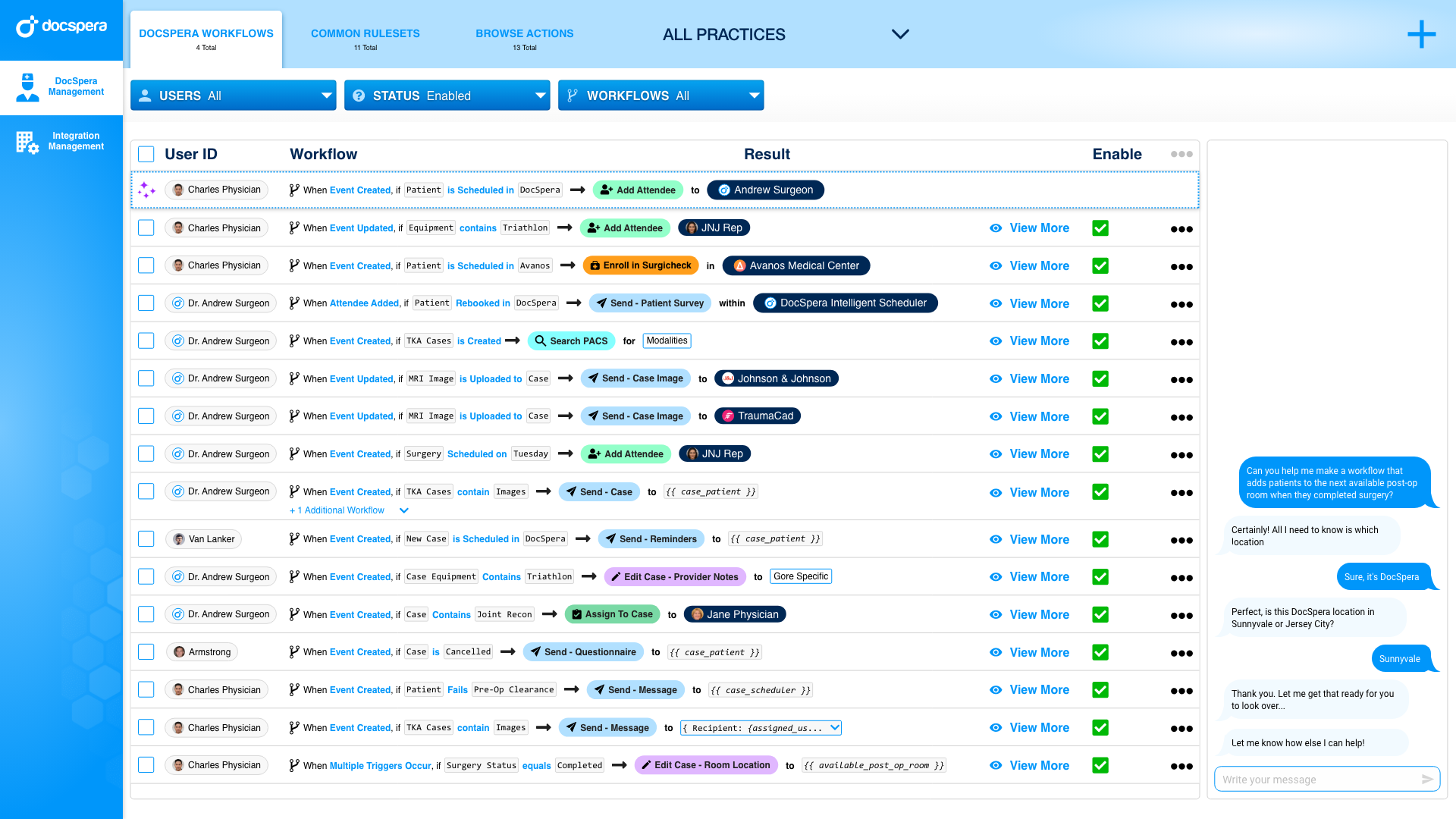
Layered the assistant in carefully
An assistant panel sits alongside the builder for staff who want to describe a workflow in plain language. It scaffolds the rule, then hands editing back to the visual builder.
Inside the Builder
Workflows home — scan, don't dig.
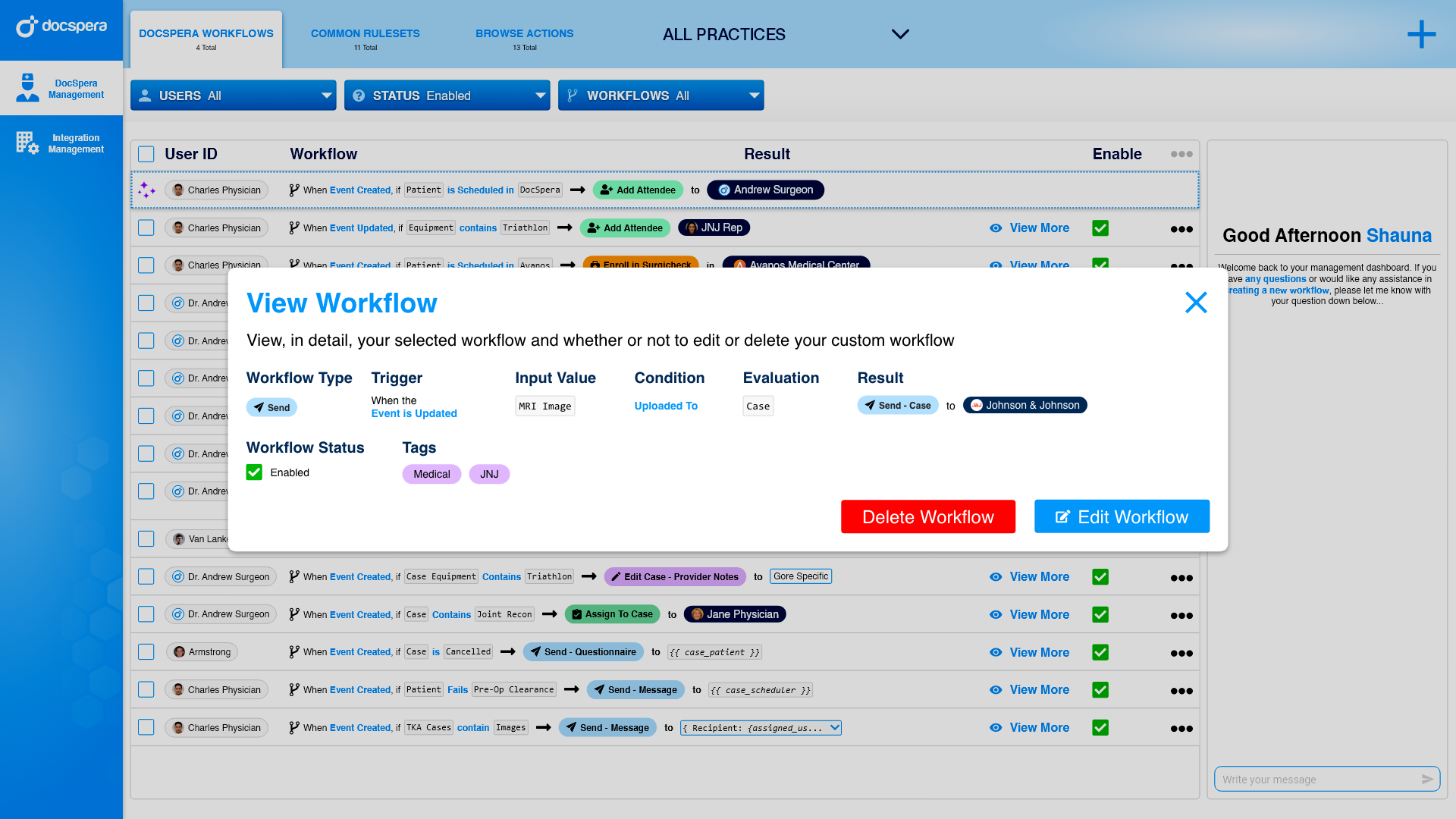
Workflow details
Assistant
Send message action
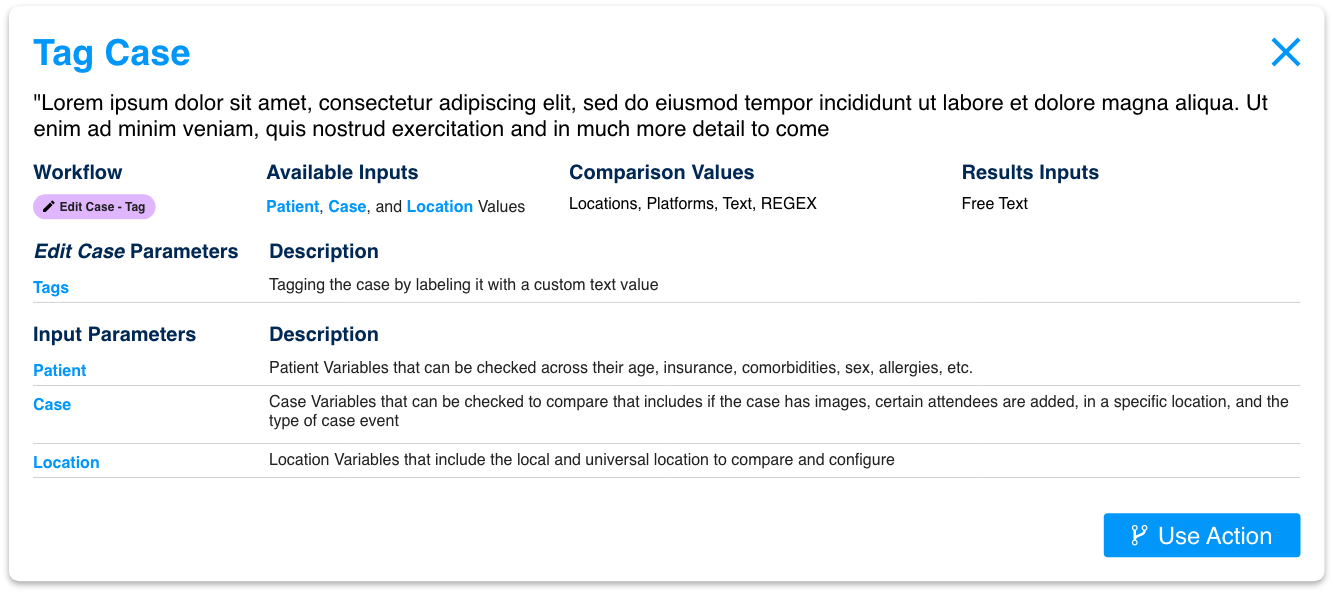
Tag case action
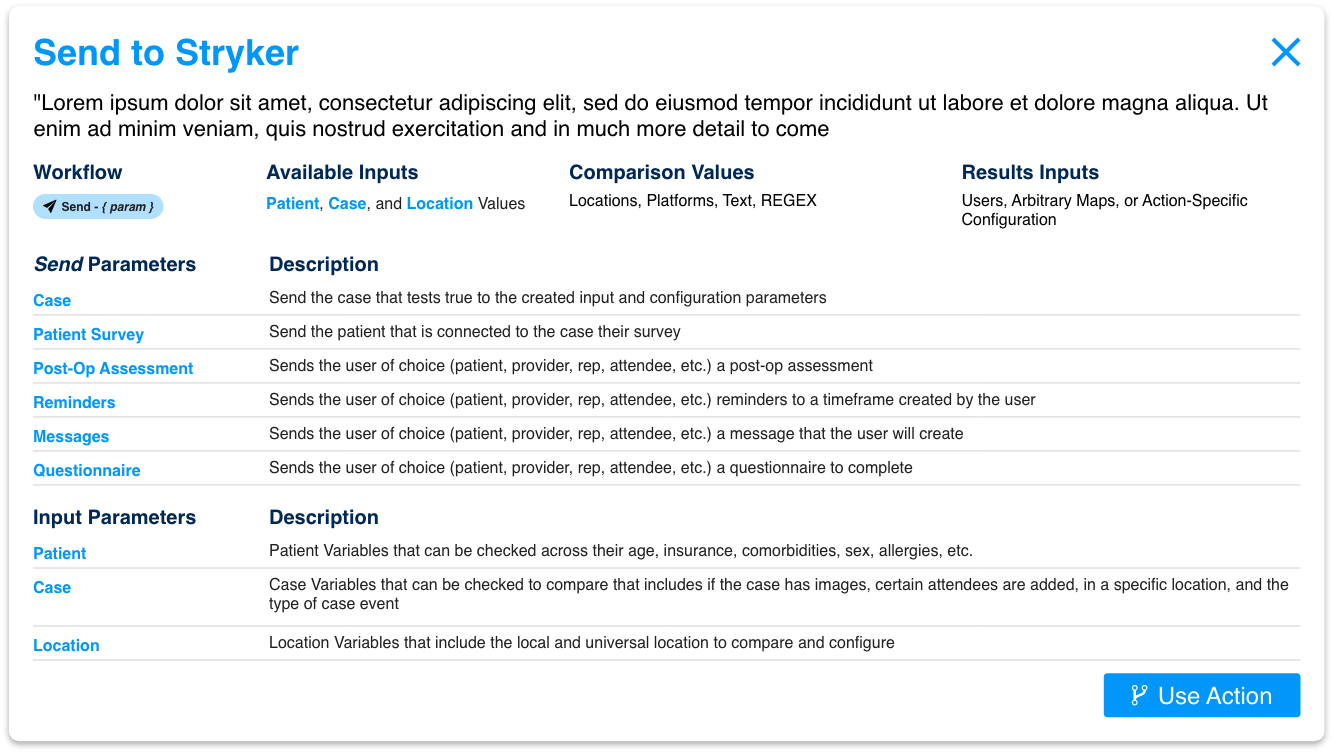
Manufacturer integration
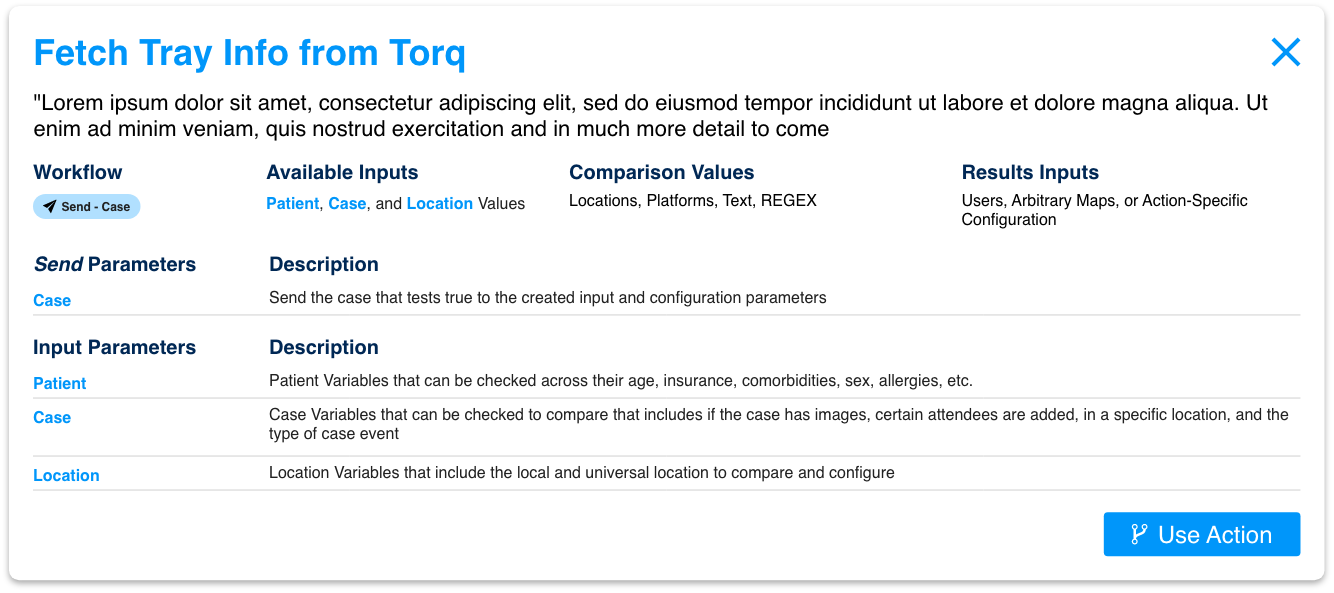
Fetch tray
Outcomes
Proposed to the non-engineering staff a way to compose real automation themselves and gave engineering a single flow instead of a backlog of one-off scripts.